


Your identity provider. Your rules.
Sign your team in to Vulnix with Okta, Entra ID or any SAML or OpenID Connect provider, require it for everyone, and let SCIM add and remove people for you.
Setup
Four steps, all in Settings
- 01
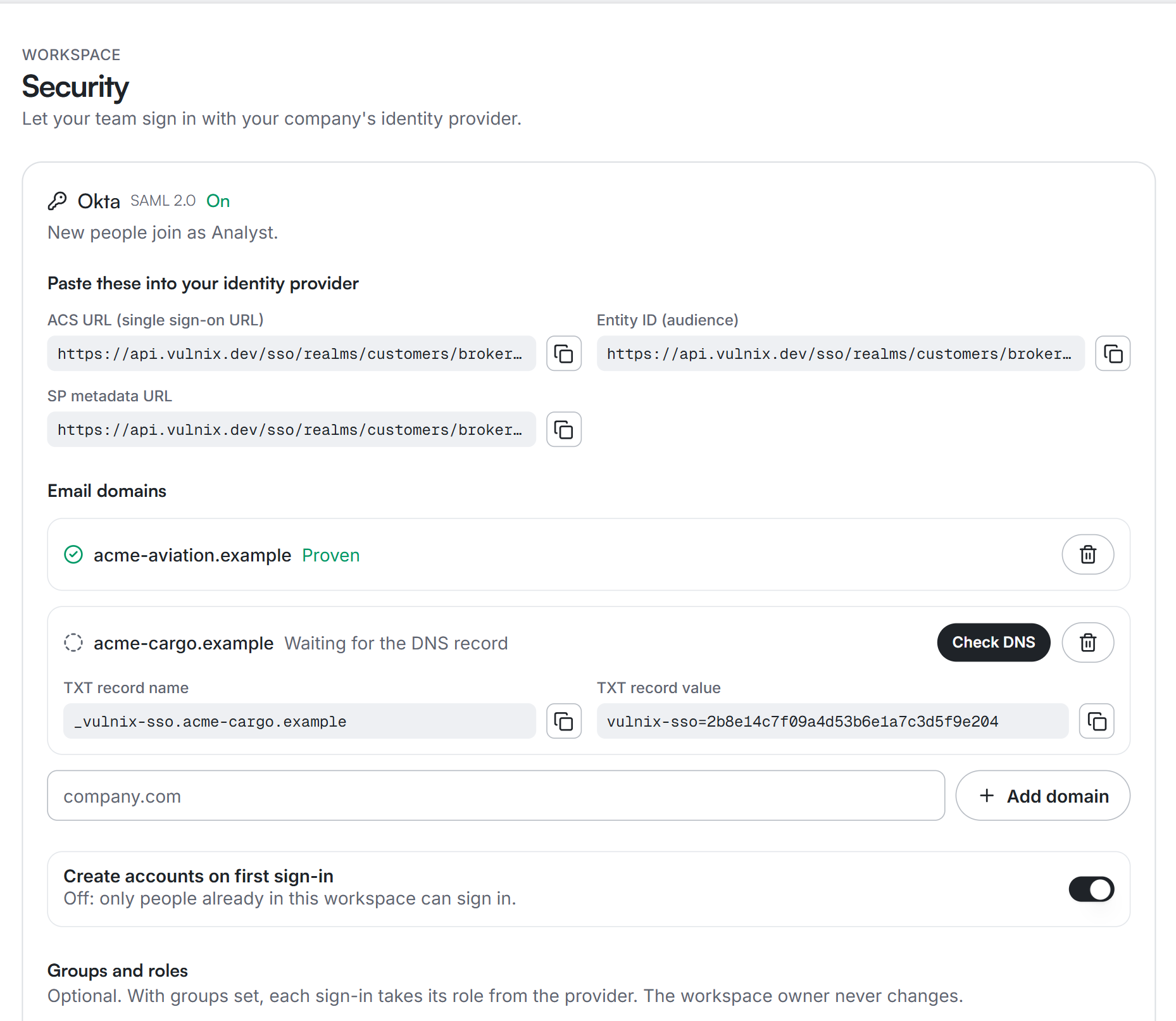
Add your provider
Paste your SAML metadata, or your OpenID Connect issuer and client, in Settings, then copy the values Vulnix shows into Okta, Entra ID or your provider.
- 02
Prove your domain
Add a DNS TXT record. Only a domain you control can send people to your provider, and no other workspace can claim it.
- 03
Test, then turn it on
Sign in once as a test: Vulnix shows the email, groups and role it received, and creates nothing.
- 04
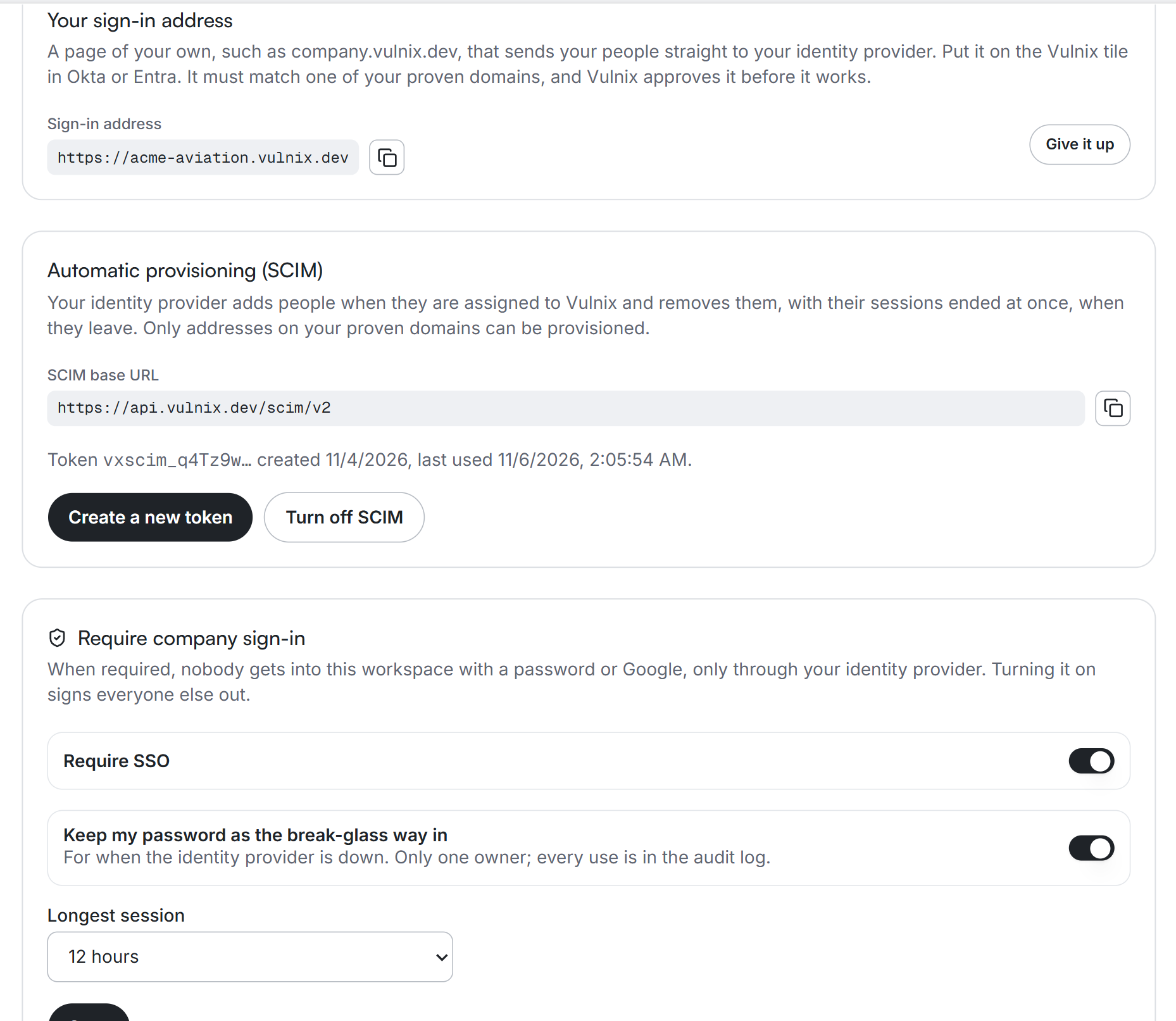
Require it
Turn on required sign-in and every other way in is closed, apart from one owner's break-glass password.
Access
Groups decide roles, and sign-in can be required
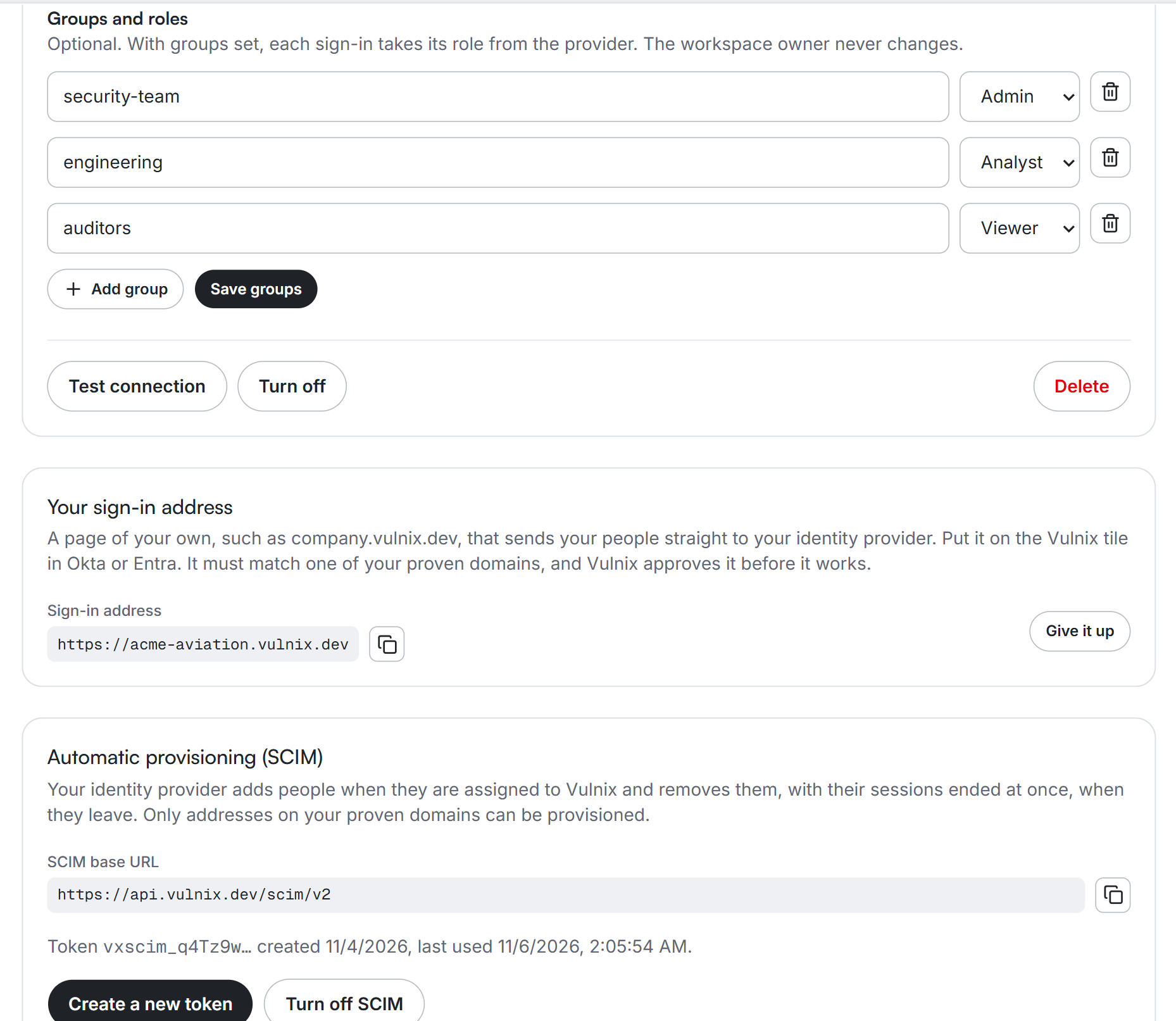
Map your provider's groups to Vulnix roles, require company sign-in for everyone, keep one break-glass owner, and cap how long a session lasts.
- Admin, Analyst and Viewer from your groups
- Password and Google closed once required
- A session limit from 8 hours to 7 days
Provisioning
SCIM adds people and removes leavers at once
Point your provider at the SCIM URL with a token only you see. People assigned to Vulnix arrive with the right role; people removed lose access and their sessions immediately.
- SCIM 2.0 users for Okta and Entra ID
- Only addresses on your proven domains
- A sign-in address of your own, approved by Vulnix
What you control
Everything an identity team asks for
SAML 2.0 and OpenID Connect
Okta, Microsoft Entra ID, Google Workspace, JumpCloud, OneLogin, Ping or any standard provider. Signatures are checked on every assertion.
Groups become roles
Map provider groups to Admin, Analyst or Viewer. Each sign-in takes its role from the groups, and the workspace owner never changes.
Accounts on first sign-in
A new person gets an account inside your workspace the first time they sign in, with the right role. Turn it off to allow only people you invited.
Required sign-in and a session cap
No password or Google sign-in for your people once it is required, and sessions end after the limit you set, from 8 hours to 7 days.
Leavers lose access at once
With SCIM, removing someone in your provider removes them from Vulnix and ends their sessions in the same moment.
Your own sign-in address
company.vulnix.dev sends your people straight to your provider. It must match a domain you proved, and Vulnix approves every one.