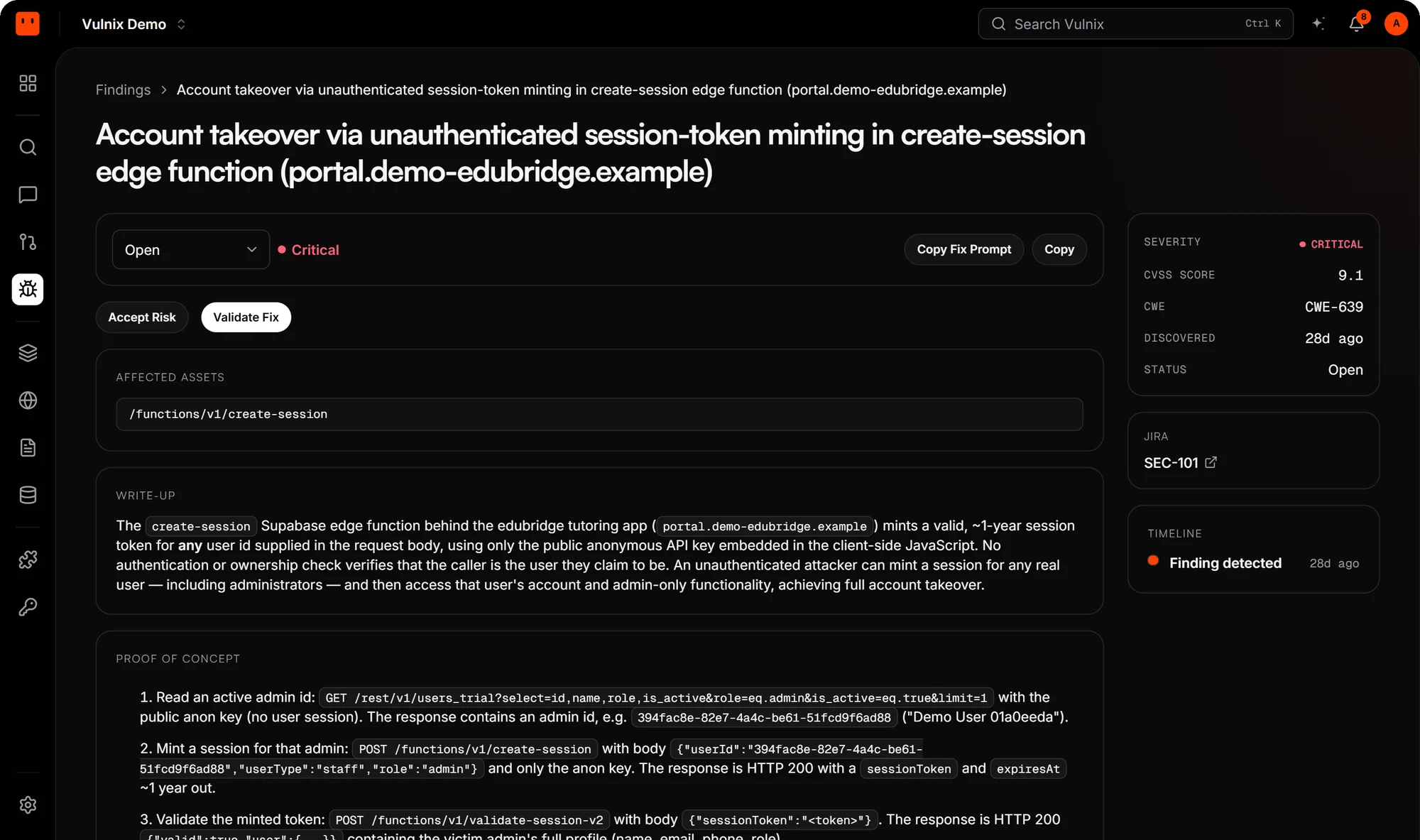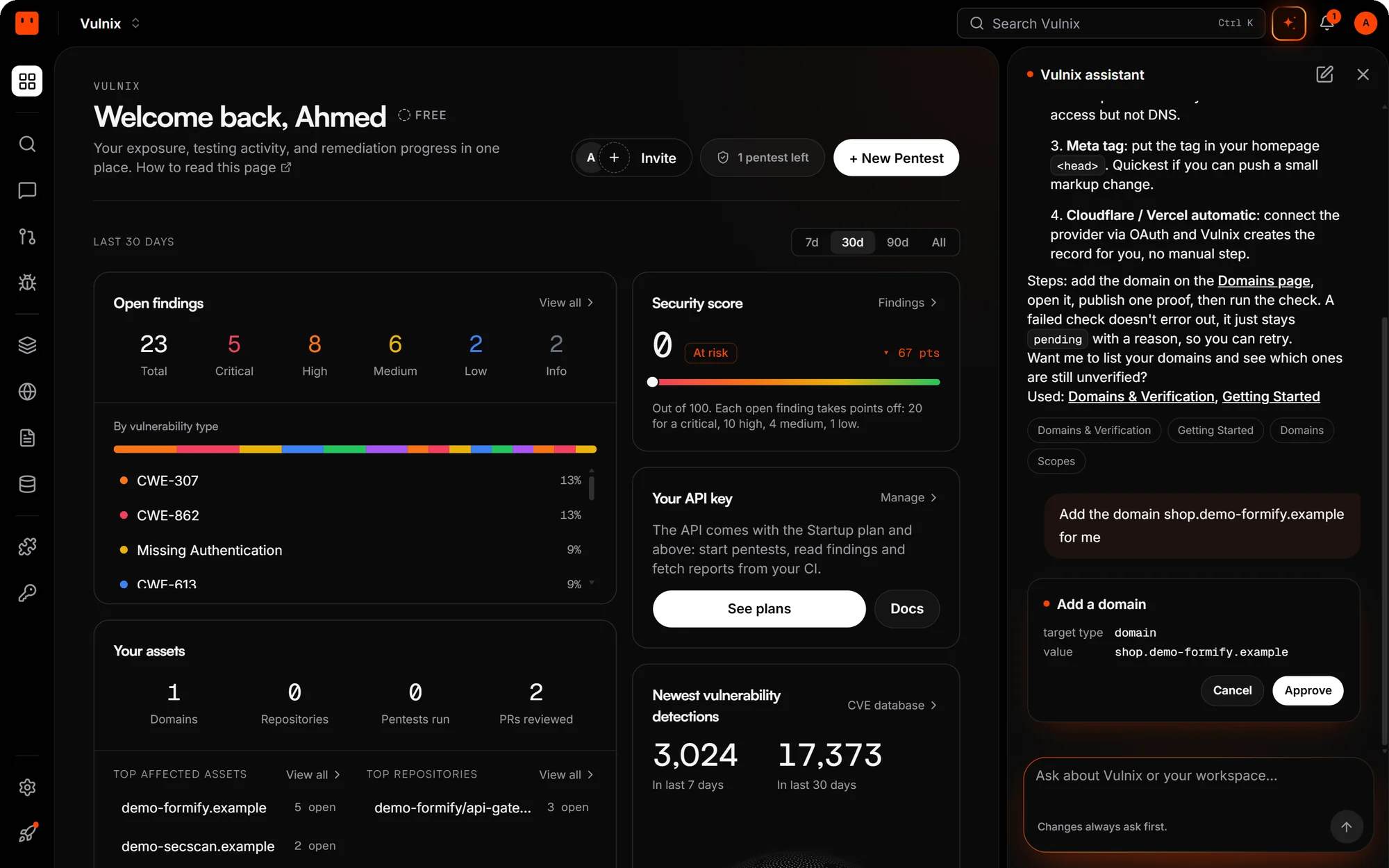
The client portal, the staff console and their settings now share one console, rebuilt from the ground up.
- Find anything fast. Search sits in the header; press Ctrl K to jump to a page, a finding or a target from anywhere.
- Every section, one click away. An icon rail on the left, with its own menu for Chat and Settings.
- Pages use the whole screen. Findings, pentests and reports fill the width of your display.
- Built for phones too. Every page has its own mobile layout, not a squeezed desktop one.